Workout wheel
Ten bodyweight moves on a wheel. Spin, do it, spin again.
Next up
?
Tap Spin, or flick the wheel
Your list
Saved in this browser only. The web keeps 3 lists.
That is 3 lists, the most the web keeps. RandALL on iPhone keeps as many as you like, plus 10 ready-made ones.
Get RandALL- Free, no sign-up
- The result is drawn before anything moves
- Nothing leaves your browser
What it does
Spin the wheel and do the exercise it lands on. It starts with ten bodyweight moves that need no equipment, from push-ups to wall sits, each with the same chance. Pick your reps or seconds first, spin five or six times, and you have a workout you did not have to plan.
How to use it
- Pick your numbers: say 10 reps, or 30 seconds, for every move.
- Tap Spin and do the move.
- Spin again for the next one. Remove a move to avoid repeats.
What people use it for
At home
No plan, no equipment. Six spins makes a circuit.
PE and warm-ups
Put the wheel on the big screen and let the class spin for the next move.
Desk breaks
One spin every hour. Whatever it lands on, do ten.
How it picks
The same way the RandALL app does: the answer first, the show after.
- The winner is drawn first. Each option holds as many tickets as its weight. One ticket is drawn with
crypto.getRandomValues, and rejection sampling throws away the few raw numbers that would give a ticket a rounding edge. - Then a spot inside its wedge. A second random number picks where in the winning wedge the pointer will rest, so it can stop anywhere in it.
- Then the spin is worked out backwards. The wheel turns a few extra times and slows down to stop exactly there. A hard flick buys more turns and a longer spin, never a different winner. The pointer sits at 3 o’clock and the wedges run clockwise, as in the app.
- The flapper is only the show. It is a small spring that the pegs knock as they pass, and every knock is a click. It reads the wheel and never moves it.
Tested. In 100,000 test spins with mixed weights, every option won in proportion to its weight (chi-square test), and on 5,000 random wheels the pointer always stopped inside the winner’s wedge.
More random tools
Questions
How many reps should I do?
Choose a number that is hard but doable for every move on the wheel, such as 10 reps or 30 seconds, and keep it the same for the whole session. Stop if something hurts.
Can I add my own exercises?
Yes. Type them under the list, or tap Paste many to paste a list. Delete any move you can’t or don’t want to do.
How do I avoid the same exercise twice in a row?
Tap Sit out after a spin. That move skips the next spins and stays in your list. When all have had a turn, the Spin button brings them back.
Can I roll for the reps too?
Yes. Open the dice roller in another tab and roll two dice for the reps.

Take it with you
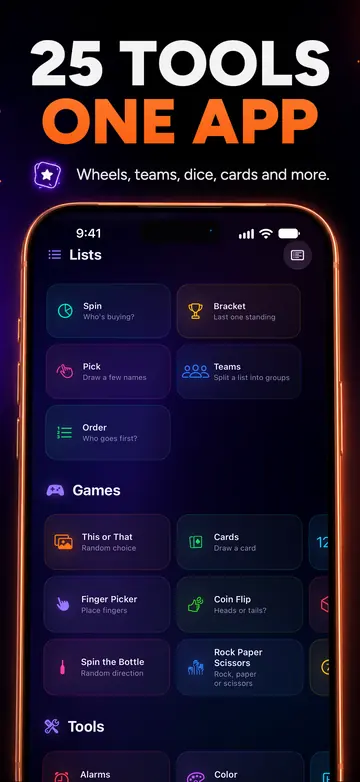
RandALL for iPhone has 25 tools in one app: wheels and teams, real 3D dice, random alarms, Finger Picker and more. It works offline.
Your first 24 hours are free, with every tool. After that, subscribe or buy the lifetime unlock once. Family Sharing included.
Get it on the App StoreiPhone only for now. These web tools are yours to keep using.