Random group generator
Set how many per group, and the class splits into even groups.
-
4
-
4
-
4
12 names
3 groups of 4
Tap a group name to rename it, or press Space to deal
Split
Names
Your names
Saved in this browser only. The web keeps 3 lists.
That is 3 lists, the most the web keeps. RandALL on iPhone keeps as many as you like, plus 10 ready-made ones.
Get RandALL- Free, no sign-up
- The result is drawn before anything moves
- Nothing leaves your browser
What it does
This random group generator splits a class, a team or a workshop into small groups. Set how many people go in each group, paste the names and tap Make groups. Groups never differ by more than one: 14 students in groups of 4 make 4, 4, 3 and 3, so nobody ends up in a leftover pair.
How to use it
- Paste the class list, one name per row, or a whole spreadsheet column at once.
- Set people per group, or switch Split by to Groups to choose how many groups.
- Tap Make groups and the names are dealt into their groups one by one.
- Copy the groups onto a slide or into the class chat.
What people use it for
Group projects
Mix the class into project groups of 3 or 4, so the same friends do not always end up together.
Lab and reading groups
New groups every week in seconds, dealt on the board where the class can see nobody chose them.
Workshop breakouts
Paste the attendee list, set the group size and drop the groups into the meeting chat.
Icebreakers
Random tables for a first day, a conference or an offsite, so people sit with someone new.
How a class splits
What this group generator makes of common class sizes. No group is bigger than the size you set, and none is more than one smaller than the rest.
| Class | Groups of 3 | Groups of 4 | Groups of 5 |
|---|---|---|---|
| 20 | 7 groups: 6 of 3, 1 of 2 | 5 groups of 4 | 4 groups of 5 |
| 24 | 8 groups of 3 | 6 groups of 4 | 5 groups: 4 of 5, 1 of 4 |
| 25 | 9 groups: 7 of 3, 2 of 2 | 7 groups: 4 of 4, 3 of 3 | 5 groups of 5 |
| 28 | 10 groups: 8 of 3, 2 of 2 | 7 groups of 4 | 6 groups: 4 of 5, 2 of 4 |
| 30 | 10 groups of 3 | 8 groups: 6 of 4, 2 of 3 | 6 groups of 5 |
| 32 | 11 groups: 10 of 3, 1 of 2 | 8 groups of 4 | 7 groups: 4 of 5, 3 of 4 |
Rather have a few bigger groups than one small one? Switch Split by to Groups: 20 students in 6 groups make 4, 4, 3, 3, 3 and 3.
How it picks
The teams are settled the moment you tap, with your browser’s crypto.getRandomValues. The dealing you see only shows them. It is the same deal RandALL makes on iPhone.
- Shuffle. The names are shuffled with a Fisher-Yates shuffle, so every order of the list is equally likely.
- Deal like cards. The shuffled names go one at a time to Team 1, Team 2 and so on, round and round, until nobody is left. That is why sizes never differ by more than one.
- Teams of a size. Ask for teams of 4 and you get as many teams as it takes, dealt evenly: 10 people make 4, 3 and 3, not 4, 4 and 2, so nobody ends up as the leftover pair.
- Nobody is steered. Each person is as likely as anyone else to land on any team, and every pair of people is as likely as any other pair to end up together.
Tested. In 60,000 test deals of 6 people into 3 teams, everyone landed on every team evenly and every pair ended up together evenly, and in 70,000 deals of 7 people into pairs, everyone was the odd one out equally often (chi-square tests).
More random tools
Questions
How do I make random groups for my class?
Paste the class list, set People per group to 3 or 4, and tap Make groups. Tap a group’s name to rename it, and Copy groups puts the groups on your clipboard for a slide or the class chat.
What if the class does not divide evenly?
The groups never differ by more than one, and none is bigger than the size you set: 14 students in groups of 4 make 4, 4, 3 and 3. To fix the number of groups instead, switch Split by to Groups.
How do I leave out students who are absent?
Tap the eye next to their name. They stay on the list for next time but sit out of the groups, and the groups stay even without them.
Can I keep my class list for the next lesson?
Yes. My lists keeps up to 3 lists in this browser, and Share sends the list as a link you can open on the classroom computer. RandALL on iPhone keeps as many lists as you like.
Should I choose groups or people per group?
People per group when the size matters, like 4 to a project. Groups when the number matters, like one group per table: 30 students in 6 groups make 6 groups of 5.

Take it with you
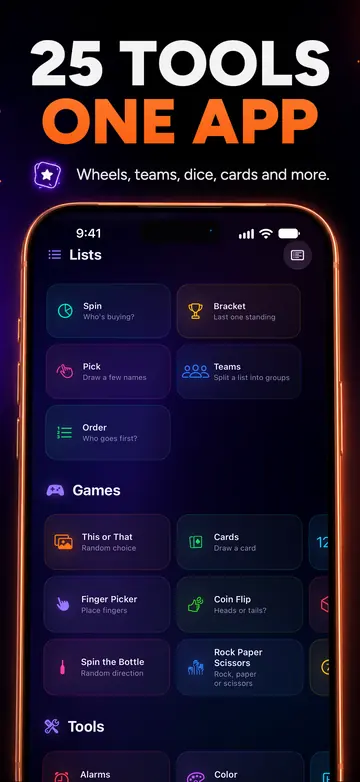
RandALL for iPhone has 25 tools in one app: wheels and teams, real 3D dice, random alarms, Finger Picker and more. It works offline.
Your first 24 hours are free, with every tool. After that, subscribe or buy the lifetime unlock once. Family Sharing included.
Get it on the App StoreiPhone only for now. These web tools are yours to keep using.