Random student picker
Everyone gets called once before anyone gets called twice.
Your turn
- Tap Pick, or press Space
- Ava
- Noah
- Mia
- Liam
- Zoe
- Ethan
- Lena
- Omar
- Priya
- Mateo
- Hana
- Kofi
- Sofia
- Lucas
- Amara
- Jonas
- Yuki
- Leo
- Nadia
- Finn
- Isla
- Ravi
- Elena
- Sam
Options
Your names
Saved in this browser only. The web keeps 3 lists.
That is 3 lists, the most the web keeps. RandALL on iPhone keeps as many as you like, plus 10 ready-made ones.
Get RandALL- Free, no sign-up
- The result is drawn before anything moves
- Nothing leaves your browser
What it does
Paste your class list and tap Pick to call on a random student. Bag mode is on, so a student who has been picked stays out until everyone has had a turn, then the bag fills again. Tap the eye next to a name to skip someone who is absent. Free, with nothing to sign up for.
How to use it
- Paste your class list from your register or a spreadsheet column, over the sample names.
- Tap the eye next to anyone who is away today.
- Put it on the board: on a laptop, Full screen fills the projector. Tap Pick or press Space.
- When the bag is empty, the button says Reset bag. Tap it and everyone is back in.
What people use it for
Cold calling
Ask the question first, give everyone a moment to think, then pick. Nobody knows who is next, so everybody thinks.
Turns that feel fair
The bag means the same three hands do not answer every question. Everyone gets one turn before anyone gets a second.
Presentation order
Set the count to the whole class and the names land numbered in a random order. Tap Copy and paste it into your notes.
Classroom jobs
Pick this week’s line leader, board cleaner and plant waterer, and switch to No repeats so nobody gets two jobs.
How it picks
The same way RandALL picks on iPhone: the names are drawn first, with your browser’s crypto.getRandomValues, and the show only reveals them.
- Every name gets a ticket. One each, or up to 10 if you turn on Weights. A ticket is drawn with rejection sampling, so no name gets a rounding edge.
- Several names are drawn one at a time. With No repeats a drawn name leaves before the next draw; with Repeats it goes back in. The picked row shows them in the order they were drawn.
- Bag mode remembers. Picked names stay out across picks until the bag is empty or you reset it. The bag is kept in this browser, so a reload does not lose your place.
- Then the show. The chips that lift out of the pool and fly up were chosen before the first one moved. Holding the button or tapping fast changes nothing.
Tested. In 100,000 test picks in each mode, every name came up evenly (chi-square test), every name was as likely to be first, second or third in a pick of three, and in Bag mode nobody came up twice before everyone had a turn.
More random tools
Questions
How do I make sure every student gets a turn?
Leave Bag on. A picked student stays out of the bag until everyone has been picked once, then the button turns into Reset bag. The bag is kept in this browser, so a reload does not start it over.
What if a student is absent?
Tap the eye next to their name. They sit out of every pick and stay on the list for tomorrow. Tap the eye again to bring them back.
Can I show it on the classroom screen?
Yes. On a laptop or desktop, the Full screen button at the top of the picker fills the projector, and Space picks the next student.
Are my students’ names sent anywhere?
No. The list stays in this browser and is never sent to a server, and there is no account. My lists keeps up to 3 class lists on this computer.
Can I split the class into groups instead?
Pick several names at once with plus, or use the team generator, which deals the whole class into groups.
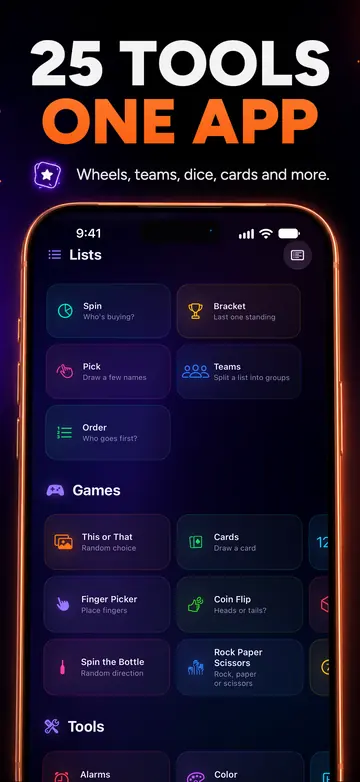

Take it with you
RandALL for iPhone has 25 tools in one app: wheels and teams, real 3D dice, random alarms, Finger Picker and more. It works offline.
Your first 24 hours are free, with every tool. After that, subscribe or buy the lifetime unlock once. Family Sharing included.
Get it on the App StoreiPhone only for now. These web tools are yours to keep using.